
Fiber, Cable, DSL, and Fixed Wireless: A Plain-English Breakdown
Understand the four main types of home internet technology, how they differ, and which situations each one suits best.
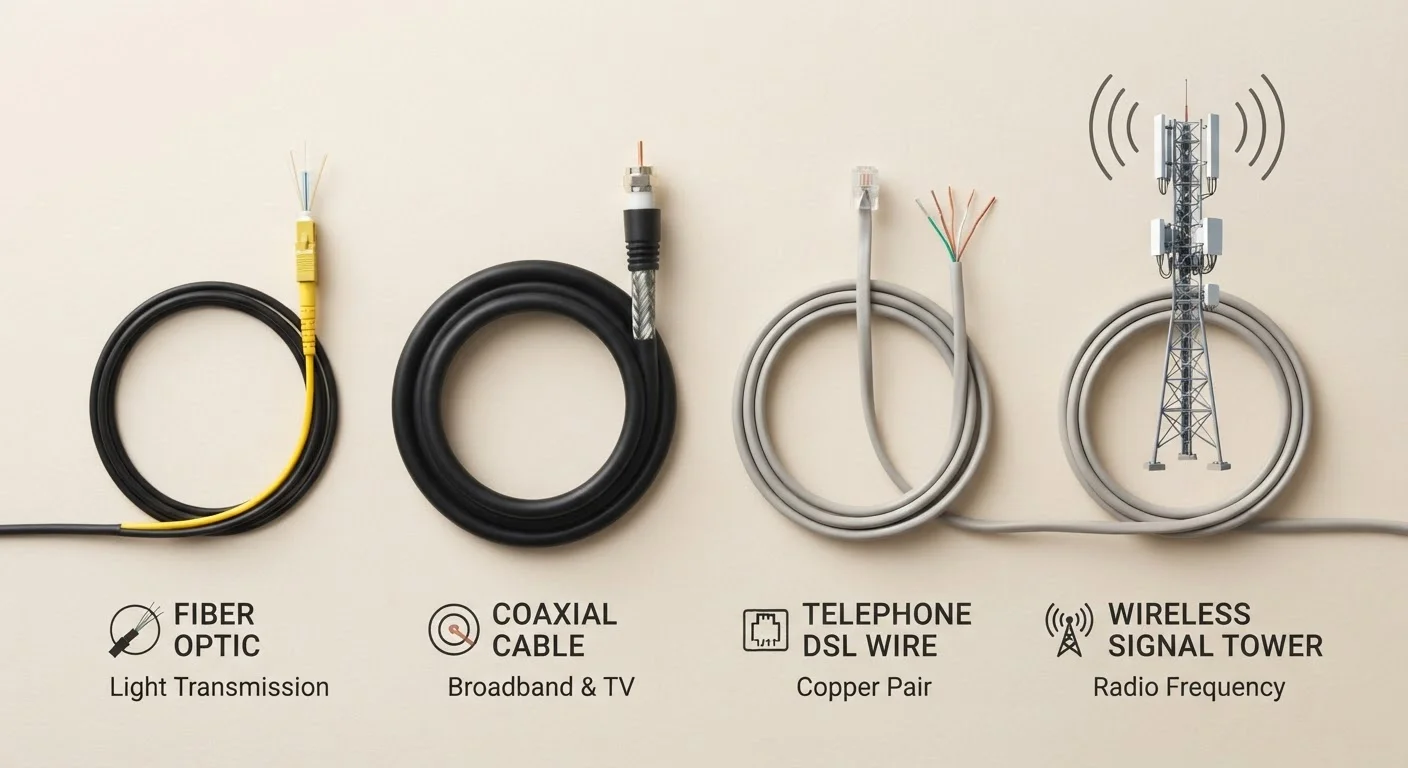
Photo: ReadersChronicle.com | Your Comprehensive Learning Destination editorial
—— In This Article
Key Takeaways
- Fiber delivers the fastest, most consistent speeds but isn't available in all areas.
- Cable internet is widely available and fast, though speeds can slow during peak usage hours.
- DSL uses existing phone lines and is slower, but it reaches many rural and suburban areas.
- Fixed wireless is a viable option where cable and fiber don't reach, using radio signals instead of wires.
Why the Type of Connection Matters
When an internet service provider (ISP) quotes you a speed and a monthly price, those numbers don't exist in a vacuum. The underlying technology - how the signal physically gets to your home - determines how consistent your connection is, how fast uploads are, and how the service holds up when your whole neighborhood is online at once.
Before signing a contract, it's worth knowing what you're actually buying. If ISP jargon like Mbps, latency, or data caps still feels murky, our plain-English glossary of ISP terms is a useful starting point. This article focuses specifically on the four main physical delivery technologies: fiber, cable, DSL, and fixed wireless.
| Fiber | Cable | DSL | Fixed Wireless | |
|---|---|---|---|---|
| Typical download speeds | 200 Mbps - 5 Gbps | 100 Mbps - 1 Gbps | 5 - 100 Mbps | 25 - 300+ Mbps |
| Upload speeds | Symmetrical or near-symmetrical | Much slower than download | Slower than download | Varies widely by provider |
| Consistency during peak hours | Very consistent | Can slow at peak times | Generally consistent | Can vary with tower load |
| Typical availability | Urban/newer suburbs | Urban and suburban | Very widespread | Rural and underserved areas |
| Latency | Very low | Low to moderate | Moderate | Moderate |
| Infrastructure required | New fiber lines | Coaxial cable (TV lines) | Copper phone lines | Tower + home antenna |
Fiber: The High-Performance Option
Fiber-optic internet transmits data as pulses of light through thin glass or plastic strands. Because light doesn't degrade the way electrical signals do over distance, fiber typically offers the most consistent speeds and the lowest latency (the delay between sending and receiving data) of any home broadband technology.
A key advantage of fiber is symmetrical bandwidth - upload speeds that match or come close to download speeds. That matters for video calls, cloud backups, and anyone uploading large files regularly. Most other technologies prioritize downloads over uploads.
The main limitation is availability. Fiber infrastructure is expensive to build, so it's concentrated in cities and newer suburban developments. If you're weighing fiber against cable in more detail, this side-by-side breakdown of fiber vs. cable covers the performance differences closely.
Check Availability Before You Compare Plans
Not every technology is available at every address. Before spending time comparing plan prices, use your ISP's address-check tool or the FCC's broadband map to confirm which connection types actually serve your location. This one step can save you from signing up for a plan only to find it isn't available at your home.
Cable: Widely Available, With One Caveat
Cable internet travels over the same coaxial cable infrastructure used for cable TV. It's far more widely deployed than fiber, reaching most suburban and many rural areas across the US.
Speeds are generally strong - often in the hundreds of Mbps - and more than adequate for streaming, browsing, and moderate remote work. The trade-off is network congestion: cable networks are shared among nearby subscribers, so speeds can drop noticeably during evening hours when demand peaks. Upload speeds also tend to lag well behind downloads on most cable plans.
For a full walkthrough of what fees and terms to watch for in any ISP offer - cable or otherwise - see how to read an ISP offer the right way.
DSL: Slower but Surprisingly Widespread
DSL delivers internet over standard copper telephone lines - the same wiring that's been in homes for decades. Because that infrastructure already exists almost everywhere, DSL can reach areas where cable and fiber have never been built.
The downside is speed. DSL signals weaken over distance, so the further your home sits from the provider's equipment hub, the slower your connection. Typical DSL speeds range from a few Mbps to around 100 Mbps, though many older lines sit toward the lower end of that range. For households that primarily browse, stream standard-definition video, or use email, DSL can still be functional - but it struggles with 4K streaming or multiple simultaneous users.
~21%
US households lacking access to fixed broadband
According to FCC broadband data, tens of millions of Americans still lack access to standard wired broadband service, particularly in rural areas.
~45%
US homes with access to fiber internet
Industry analyses estimate that fiber infrastructure now passes roughly 45% of US households, with deployment ongoing.
Fixed Wireless: The No-Wire Alternative
Fixed wireless access (FWA) skips physical cables entirely. A small antenna or receiver installed at your home picks up a radio signal from a nearby tower, typically operated by a wireless carrier or regional ISP. It's particularly common in rural areas where running cable or fiber is cost-prohibitive.
Performance varies more than with wired connections. Speeds can range from modest DSL-like rates to well over 100 Mbps depending on the provider, your proximity to the tower, and whether obstructions like trees or buildings block the signal. Weather can also affect reliability. That said, for households with no wired broadband option, fixed wireless often represents a significant upgrade over satellite internet in terms of latency. For a comparison with satellite - another wireless alternative for remote areas - see our realistic look at satellite internet for rural households.
Once you know your connection type, pairing it with the right home network equipment matters too. Understanding your router's specs can help you get the most out of whatever broadband type you have.
How to Use This Information
Availability is the first filter: check which technologies actually reach your address before comparing plans. From there, prioritize based on your household's actual usage - a solo renter checking email has different needs than a family with multiple remote workers and streaming devices.
For a broader view of the home internet landscape - from choosing a plan to negotiating your monthly bill - our comprehensive home internet guide covers the full picture. And if you're setting up service for the first time, our guide for first-time renters walks through each step from scratch.

Tech Editorial Team
Tech Editorial Team is the collective byline for our editorial team and contributor network. Articles published under this byline or an editorial pen name are researched, written, and reviewed according to our editorial standards for clarity, consistency, and independence before publication.
View author profile