
Streaming Sticks, Smart TVs, and Set-Top Boxes: What Sets Them Apart
Confused by your streaming options? Here's a plain-language breakdown of how each device works, what it costs to run, and who each one suits best.
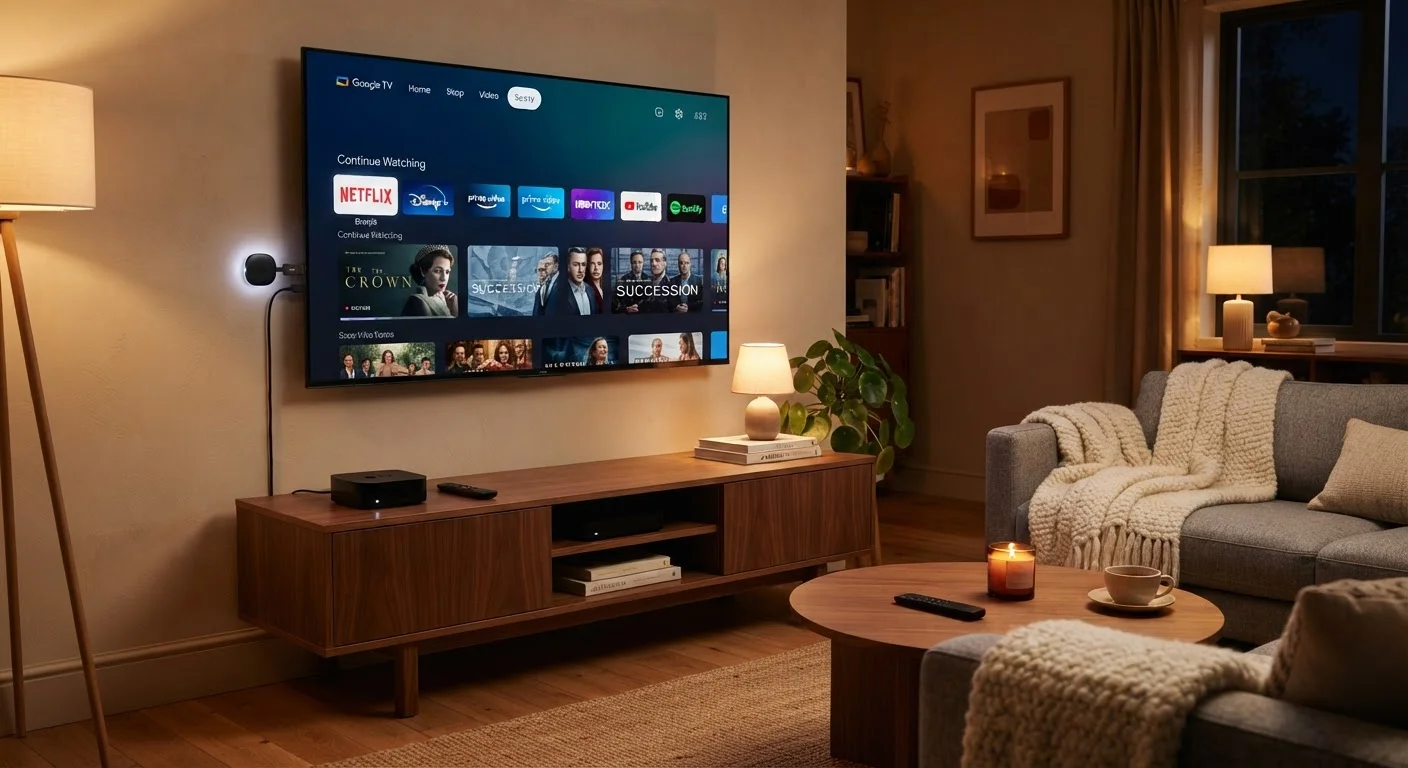
Photo: ReadersChronicle.com | Your Comprehensive Learning Destination editorial
—— In This Article
Key Takeaways
- Smart TVs have streaming built in, but their software can become outdated faster than standalone devices.
- Streaming sticks are the most portable and typically lowest-cost entry point for cord-cutters.
- Set-top boxes offer the most processing power and are better suited to households with complex setups.
- All three options require a reliable broadband connection - generally at least 25 Mbps for HD streaming.
- Your existing equipment and viewing habits matter more than any single device's spec sheet.
How Each Device Actually Works
These three categories do the same basic job - deliver streaming video to your television - but they go about it differently, and those differences affect performance, cost, and long-term flexibility.
Streaming sticks plug directly into your TV's HDMI port (HDMI stands for High-Definition Multimedia Interface - the standard cable connector used on modern TVs). They draw power from a USB port or a small wall adapter and run a lightweight operating system that connects to your home Wi-Fi. Because all the computing happens in a device roughly the size of a thumb drive, they're inherently limited in processing muscle, but for most streaming tasks that limitation rarely shows.
Smart TVs have the streaming hardware baked into the television itself. The TV's operating system - sometimes called a TV OS - gives you access to streaming apps without any extra hardware. The catch is that TV manufacturers don't always commit to long software update cycles, so a smart TV bought today may stop receiving app updates in a few years even if the display panel still works perfectly.
Set-top boxes are standalone units that sit near your TV and connect via HDMI. They generally carry faster processors, more storage, and more RAM (Random Access Memory - the working memory a device uses to run apps smoothly) than sticks. Some also support cable cards or antenna inputs, making them a bridge between live TV and on-demand streaming. For a deeper look at relevant display terminology, see our guide to display resolution.
Comparing the Three Side by Side
The table below summarises the key differences across the criteria most readers care about. Bear in mind that figures and capabilities vary across individual products within each category.
| Streaming Stick | Smart TV | Set-Top Box | |
|---|---|---|---|
| Upfront hardware cost | Generally low | Built into TV cost | Moderate to higher |
| Setup complexity | Very simple | Minimal - built in | Moderate |
| Processing power | Limited | Varies by TV model | Strongest of the three |
| Software update lifespan | Usually good | Often shorter | Usually good |
| Portability | Highly portable | Not portable | Limited portability |
| Live TV / antenna support | Rarely | Some models | Often available |
| Wired internet option | Rarely | Yes, on most TVs | Yes, standard on most |
| Best for | Simplicity, low cost | All-in-one TV buyers | Complex or multi-source setups |
One factor the table can't fully capture is software longevity. A streaming stick or set-top box from a dedicated streaming-device maker is likely to receive OS and app updates for longer than a smart TV from a television manufacturer whose primary business is hardware.
The Internet Connection Piece
All three device types are only as good as the broadband connection feeding them. Streaming HD video generally requires at least 5-10 Mbps (megabits per second) per stream; 4K video typically needs 15-25 Mbps per stream. If multiple people in your home stream simultaneously, those numbers multiply. Estimating the right speed for your household depends on total device count, not just the streaming device you choose.
Check Your Internet Plan Before Upgrading Your Device
Swapping a streaming stick for a set-top box won't help if your internet plan is the bottleneck. Before purchasing any new streaming hardware, confirm your current download speed using a free speed-test tool. If you're consistently below 25 Mbps for a multi-person household, addressing the connection first will have a bigger impact than the device choice. Understanding your internet connection type can clarify what upgrade options may be available in your area.
Wi-Fi signal quality matters as much as raw speed. Streaming sticks rely entirely on wireless connectivity and can be more susceptible to interference than a set-top box connected by an Ethernet cable (a wired network cable). If your router is far from your TV, a powerline adapter or a mesh Wi-Fi node near the TV can make a noticeable difference regardless of which streaming device you use. If you're unclear on internet plan terminology, this plain-language breakdown of ISP terms is a useful starting point.
Who Each Option Actually Suits
Rather than thinking in terms of which device is objectively superior, consider which fits your current situation.
- Streaming sticks are well-suited to renters, frequent movers, or anyone who already owns a TV with a working HDMI port and wants to add streaming without spending much. They're also easy to pack and use on hotel TVs.
- Smart TVs make the most sense if you're already in the market for a new television. Paying a premium specifically for smart features on an otherwise unwanted TV is rarely a sound trade-off, partly because of the software-aging issue noted above.
- Set-top boxes tend to serve households with more complex needs: multiple streaming accounts, a mix of live and on-demand TV, gaming, or a desire to consolidate inputs. They're also worth considering if you have an older, non-smart TV that still has an excellent picture.
If you're building out a broader home setup, understanding how smart devices connect and communicate can help you see how a streaming device fits into the larger picture. And if a tablet is also on your radar as an alternative viewing device, these questions to ask before buying a tablet can help you decide whether it complements or replaces a dedicated streaming device.
~25 Mbps
Minimum recommended speed for 4K streaming
Netflix and other major streaming platforms publicly document bandwidth requirements; 4K with HDR can exceed this threshold per stream.
3-5 years
Typical smart TV software support window
Consumer electronics analysts generally observe that TV operating systems receive active app updates for a shorter period than dedicated streaming hardware platforms.

Tech Editorial Team
Tech Editorial Team is the collective byline for our editorial team and contributor network. Articles published under this byline or an editorial pen name are researched, written, and reviewed according to our editorial standards for clarity, consistency, and independence before publication.
View author profile