
Bluetooth vs. Wi-Fi: Two Wireless Technologies, Very Different Jobs
Both cut the cord, but Bluetooth and Wi-Fi solve entirely different problems. Here's how each works and when one makes more sense than the other.
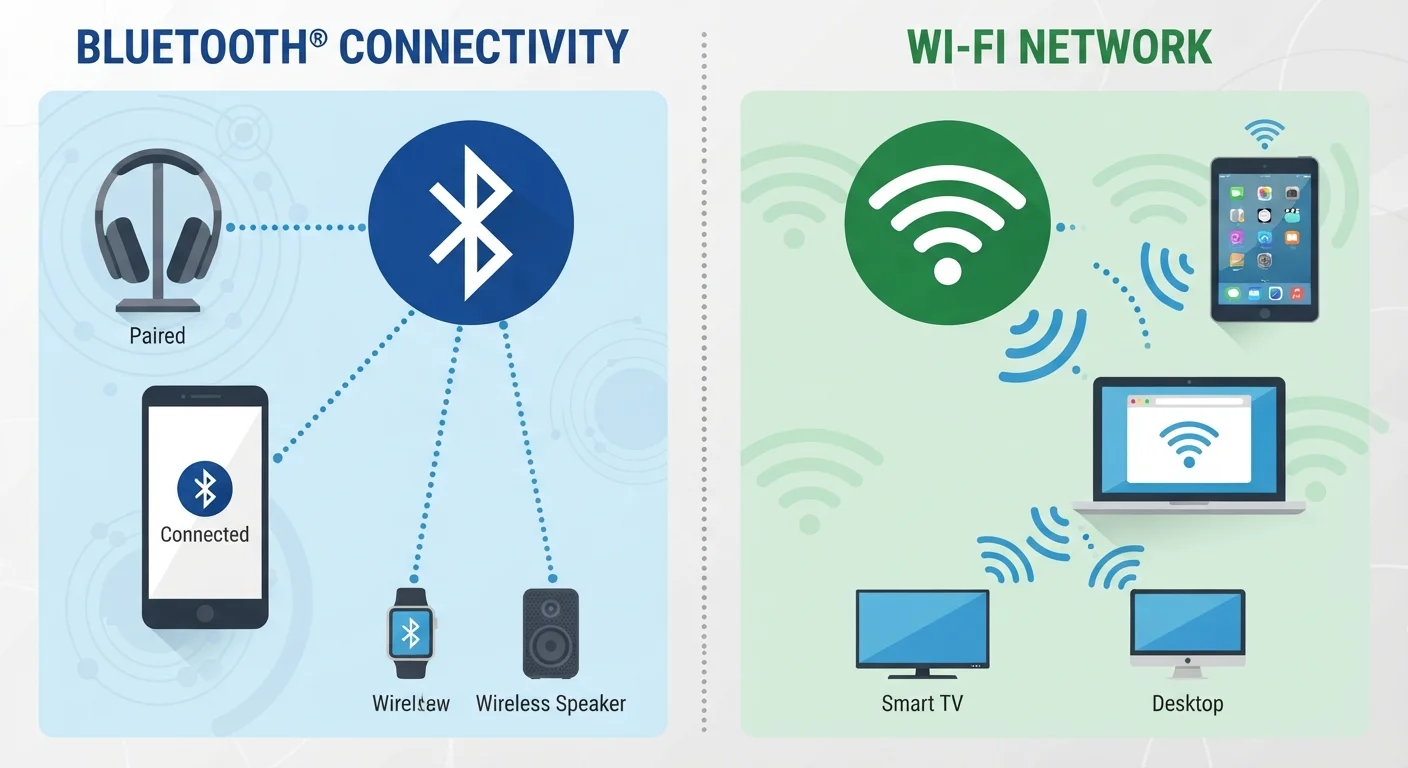
Photo: ReadersChronicle.com | Your Comprehensive Learning Destination editorial
—— In This Article
Key Takeaways
- Bluetooth is designed for short-range, low-power device-to-device connections, typically within 30 feet.
- Wi-Fi is built for high-speed data transfer over a local network, covering an entire home or office.
- Bluetooth consumes far less battery power than Wi-Fi, making it the standard for wearables and accessories.
- Wi-Fi operates on shared network infrastructure; Bluetooth creates direct peer-to-peer links.
- Both technologies can coexist without conflict on most modern consumer devices.
- Choosing the right technology depends on distance, data volume, and whether internet access is needed.
What Each Technology Was Actually Built to Do
Despite both being called "wireless," Bluetooth and Wi-Fi were engineered with fundamentally different goals. Understanding those goals makes it obvious why your phone uses one for headphones and another for streaming.
Bluetooth was developed in the late 1990s as a cable replacement for short-range connections between personal devices. It creates a direct, encrypted link between two devices - no router, no internet, no infrastructure required. Its design prioritizes low power consumption and simplicity over raw speed. That's why your wireless earbuds can last all day on a tiny battery.
Wi-Fi, by contrast, was designed to replace Ethernet cables for network access. When you connect a laptop to Wi-Fi, you're joining a local area network managed by a router, which in turn connects to the broader internet. Wi-Fi prioritizes bandwidth and range, which is why it can handle a 4K video stream or a large file download that Bluetooth simply cannot sustain.
Think of Bluetooth as a short conversation between two people in the same room, and Wi-Fi as a phone call routed through an exchange to reach anywhere in the world. One is direct and intimate; the other is networked and far-reaching. Understanding how your home internet connection works adds another useful layer to this picture.
Range, Speed, and Power: How They Compare in Practice
The practical differences between Bluetooth and Wi-Fi come down to three factors: how far they reach, how fast they move data, and how much power they consume.
| Criterion | Bluetooth | Wi-Fi |
|---|---|---|
| Typical range | ~30 feet (consumer devices) | 100+ feet from router |
| Real-world speed | 2-3 Mbps | Tens to hundreds of Mbps |
| Power consumption | Very low (BLE: extremely low) | Moderate to high |
| Connection type | Direct device-to-device | Via router/network |
| Internet access | No | Yes |
| Typical use cases | Headphones, wearables, keyboards | Streaming, browsing, downloads |
| Setup required | Device pairing only | Router and network credentials |
Bluetooth's typical effective range is around 30 feet (roughly 10 meters) for standard consumer devices, though newer versions extend further. Wi-Fi routinely covers an entire home - often 100 feet or more from the router - and modern Wi-Fi 6 routers push speeds into the multi-gigabit range. Bluetooth maximum speeds, even in newer versions, top out around 2-3 Mbps in real-world use, which is sufficient for audio but impractical for video.
Power is where Bluetooth shines. The Bluetooth Low Energy (BLE) specification, widely used in wearables and sensors, can operate for months on a coin-cell battery. Wi-Fi radios draw significantly more power - a key reason laptops and phones drain faster when Wi-Fi is active and streaming.
~30 ft
Typical Bluetooth consumer range
Standard Bluetooth consumer devices operate reliably within roughly 30 feet; walls and interference reduce this further.
Wi-Fi 6
Current mainstream Wi-Fi standard
Wi-Fi 6 (802.11ax), widely available in consumer routers, supports theoretical speeds up to 9.6 Gbps across multiple devices.
Months
BLE device battery life
Bluetooth Low Energy devices, such as fitness trackers and sensors, can operate for months on small batteries due to minimal power draw.
If you're curious how wireless audio quality compares across different connection types, see our look at wired versus wireless headphone trade-offs for a deeper breakdown.
When to Use One, the Other, or Both
Most modern smartphones, tablets, and laptops include both radios simultaneously, and they don't interfere with each other in daily use. The question is knowing which to rely on for which task.
Use Bluetooth when:
- Connecting wireless headphones, earbuds, speakers, or a keyboard to a nearby device
- Pairing a smartwatch or fitness tracker to a phone
- Transferring a small file directly to a friend's device without a network
- Using hands-free calling in a car
Use Wi-Fi when:
- Streaming music, video, or podcasts from the internet
- Making video calls or joining virtual meetings
- Downloading or uploading files of any significant size
- Connecting smart TVs, gaming consoles, or computers to a home network
One common misconception is that Bluetooth can substitute for Wi-Fi when internet access is unavailable. It cannot - Bluetooth doesn't provide internet connectivity on its own. It simply links devices together locally. For risks that come with leaving Wi-Fi open outside your home, it's worth reading about what actually makes public Wi-Fi risky.
Do Bluetooth and Wi-Fi Interfere With Each Other?
Both technologies operate in the 2.4 GHz radio frequency band, which means they can theoretically compete for airspace. In practice, modern devices use frequency-hopping and other techniques to minimize conflict. If you notice audio dropouts on Bluetooth headphones while on Wi-Fi, switching your router to the 5 GHz band - available on most modern dual-band routers - typically resolves the issue entirely.

Tech Editorial Team
Tech Editorial Team is the collective byline for our editorial team and contributor network. Articles published under this byline or an editorial pen name are researched, written, and reviewed according to our editorial standards for clarity, consistency, and independence before publication.
View author profile